
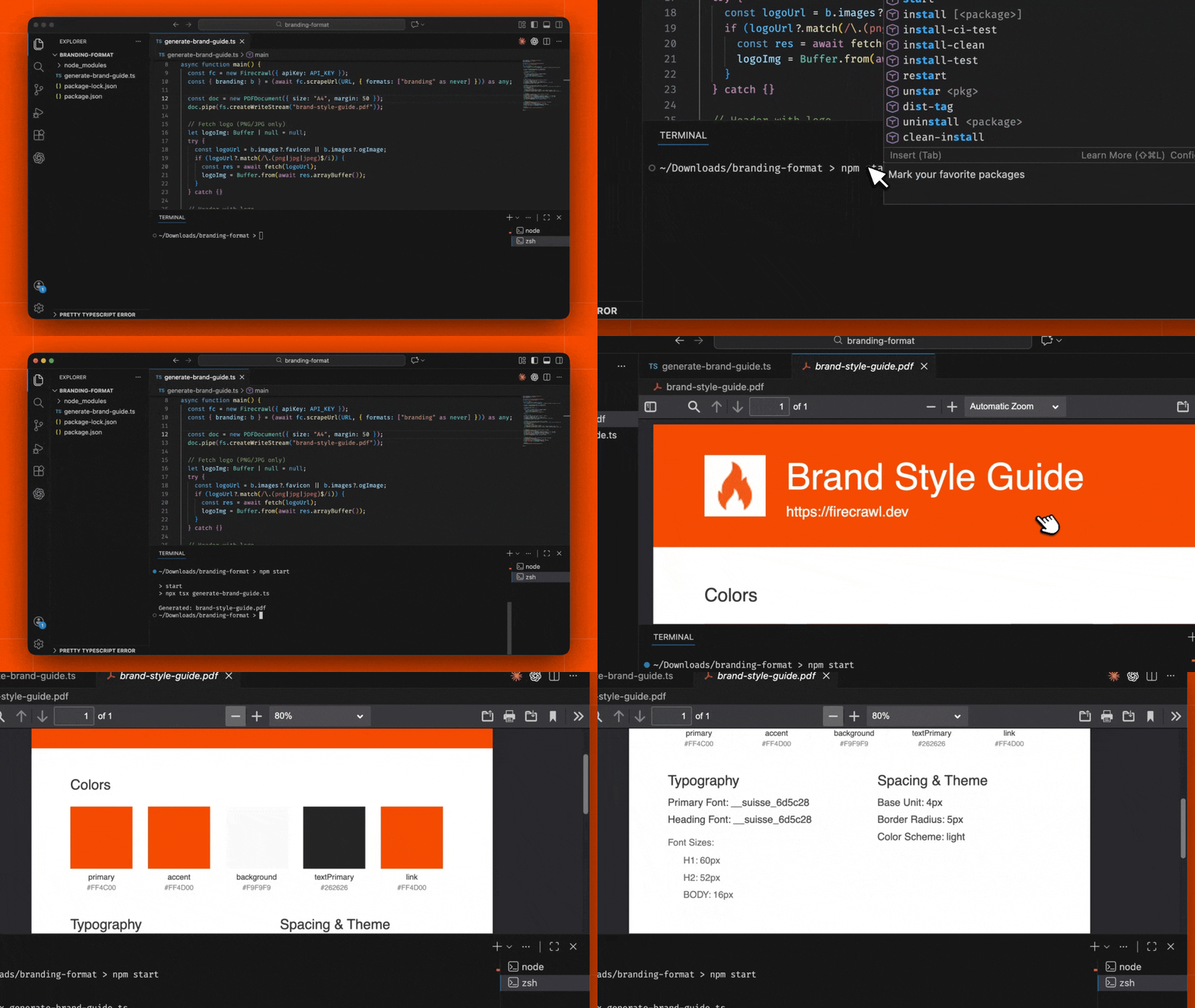
Build a brand style guide generator that automatically extracts colors, typography, spacing, and visual identity from any website and compiles it into a professional PDF document. Brand style guide PDF generator using Firecrawl branding format to extract design system

What You’ll Build

A Node.js application that takes any website URL, extracts its complete brand identity using Firecrawl’s branding format, and generates a polished PDF style guide with:
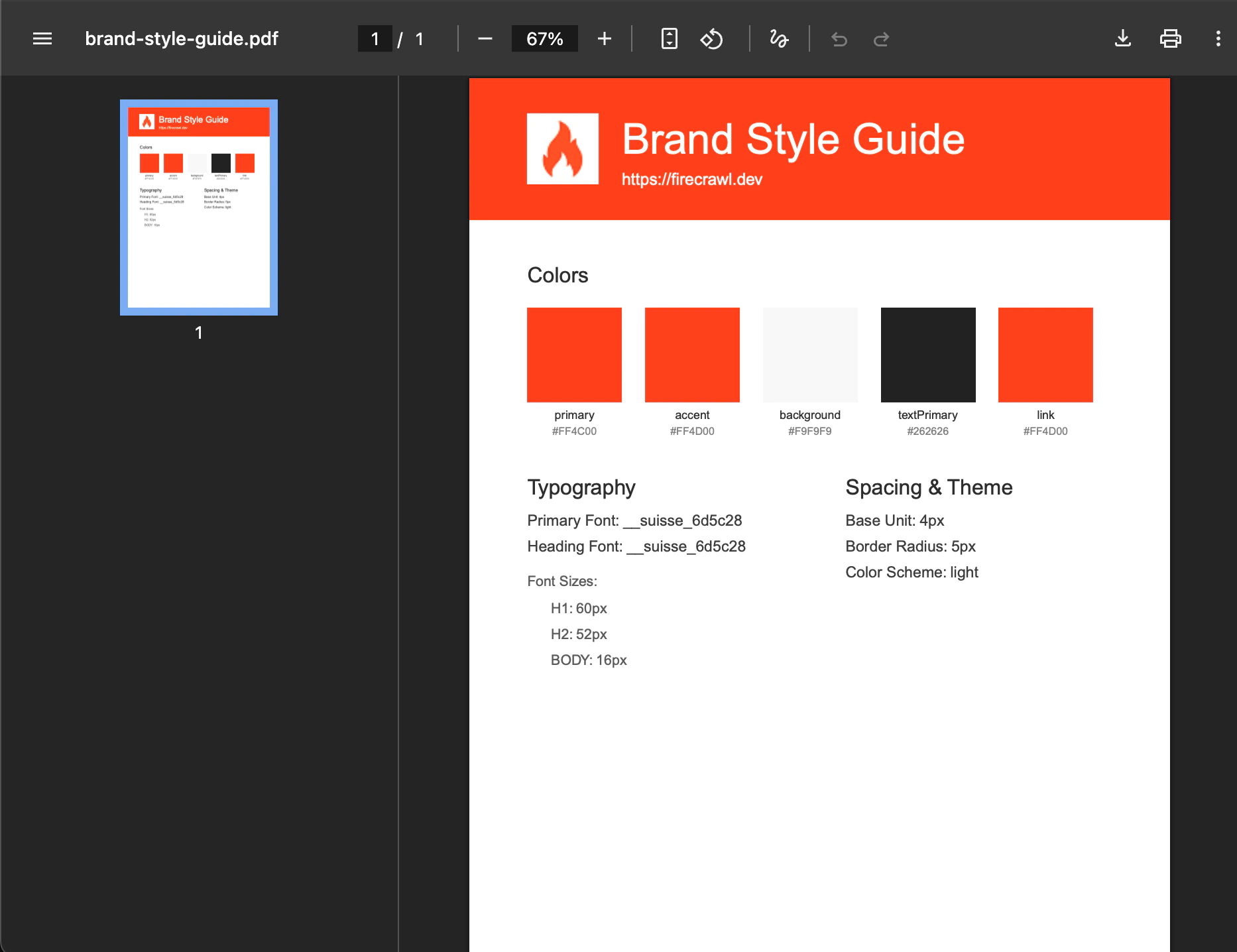
  • Color palette with hex values
  • Typography system (fonts, sizes, weights)
  • Spacing and layout specifications
  • Logo and brand imagery
  • Theme information (light/dark mode)
Example of generated brand style guide PDF with colors typography and spacing

Prerequisites

  • Node.js 18 or later installed
  • A Firecrawl API key from firecrawl.dev
  • Basic knowledge of TypeScript and Node.js
1

Create a New Node.js Project

Start by creating a new directory for your project and initializing it:
mkdir brand-style-guide-generator && cd brand-style-guide-generator
npm init -y
Update your package.json to use ES modules:
package.json
{
  "name": "brand-style-guide-generator",
  "version": "1.0.0",
  "type": "module",
  "scripts": {
    "start": "npx tsx index.ts"
  }
}
2

Install Dependencies

Install the required packages for web scraping and PDF generation:
npm i @mendable/firecrawl-js pdfkit
npm i -D typescript tsx @types/node @types/pdfkit
These packages provide:
  • @mendable/firecrawl-js: Firecrawl SDK for extracting brand identity from websites
  • pdfkit: PDF document generation library
  • tsx: TypeScript execution for Node.js
3

Build the Brand Style Guide Generator

Create the main application file at index.ts. This script extracts brand identity from a URL and generates a professional PDF style guide.
index.ts
import Firecrawl from "@mendable/firecrawl-js";
import PDFDocument from "pdfkit";
import fs from "fs";

const API_KEY = "fc-YOUR-API-KEY";
const URL = "https://firecrawl.dev";

async function main() {
  const fc = new Firecrawl({ apiKey: API_KEY });
  const { branding: b } = (await fc.scrape(URL, { formats: ["branding"] })) as any;

  const doc = new PDFDocument({ size: "A4", margin: 50 });
  doc.pipe(fs.createWriteStream("brand-style-guide.pdf"));

  // Fetch logo (PNG/JPG only)
  let logoImg: Buffer | null = null;
  try {
    const logoUrl = b.images?.favicon || b.images?.ogImage;
    if (logoUrl?.match(/\.(png|jpg|jpeg)$/i)) {
      const res = await fetch(logoUrl);
      logoImg = Buffer.from(await res.arrayBuffer());
    }
  } catch {}

  // Header with logo
  doc.rect(0, 0, 595, 120).fill(b.colors?.primary || "#333");
  const titleX = logoImg ? 130 : 50;
  if (logoImg) doc.image(logoImg, 50, 30, { height: 60 });
  doc.fontSize(36).fillColor("#fff").text("Brand Style Guide", titleX, 38);
  doc.fontSize(14).text(URL, titleX, 80);

  // Colors
  doc.fontSize(18).fillColor("#333").text("Colors", 50, 160);
  const colors = Object.entries(b.colors || {}).filter(([, v]) => typeof v === "string" && (v as string).startsWith("#"));
  colors.forEach(([k, v], i) => {
    const x = 50 + i * 100;
    doc.rect(x, 195, 80, 80).fill(v as string);
    doc.fontSize(10).fillColor("#333").text(k, x, 282, { width: 80, align: "center" });
    doc.fontSize(9).fillColor("#888").text(v as string, x, 296, { width: 80, align: "center" });
  });

  // Typography
  doc.fontSize(18).fillColor("#333").text("Typography", 50, 340);
  doc.fontSize(13).fillColor("#444");
  doc.text(`Primary Font: ${b.typography?.fontFamilies?.primary || "—"}`, 50, 370);
  doc.text(`Heading Font: ${b.typography?.fontFamilies?.heading || "—"}`, 50, 392);
  doc.fontSize(12).fillColor("#666").text("Font Sizes:", 50, 422);
  Object.entries(b.typography?.fontSizes || {}).forEach(([k, v], i) => {
    doc.text(`${k.toUpperCase()}: ${v}`, 70, 445 + i * 22);
  });

  // Spacing & Theme
  doc.fontSize(18).fillColor("#333").text("Spacing & Theme", 320, 340);
  doc.fontSize(13).fillColor("#444");
  doc.text(`Base Unit: ${b.spacing?.baseUnit}px`, 320, 370);
  doc.text(`Border Radius: ${b.spacing?.borderRadius}`, 320, 392);
  doc.text(`Color Scheme: ${b.colorScheme}`, 320, 414);

  doc.end();
  console.log("Generated: brand-style-guide.pdf");
}

main();
For this simple project, the API key is placed directly in the code. If you plan to push this to GitHub or share it with others, move the key to a .env file and use process.env.FIRECRAWL_API_KEY instead.
Replace fc-YOUR-API-KEY with your Firecrawl API key from firecrawl.dev.

Understanding the Code

Key Components:
  • Firecrawl Branding Format: The branding format extracts comprehensive brand identity including colors, typography, spacing, and images
  • PDFKit Document: Creates a professional A4 PDF with proper margins and sections
  • Color Swatches: Renders visual color blocks with hex values and semantic names
  • Typography Display: Shows font families and sizes in an organized layout
  • Spacing & Theme: Documents the design system’s spacing units and color scheme
4

Run the Generator

Run the script to generate a brand style guide:
npm start
The script will:
  1. Extract the brand identity from the target URL using Firecrawl’s branding format
  2. Generate a PDF named brand-style-guide.pdf
  3. Save it in your project directory
To generate a style guide for a different website, simply change the URL constant in index.ts.

How It Works

Extraction Process

  1. URL Input: The generator receives a target website URL
  2. Firecrawl Scrape: Calls the /scrape endpoint with the branding format
  3. Brand Analysis: Firecrawl analyzes the page’s CSS, fonts, and visual elements
  4. Data Return: Returns a structured BrandingProfile object with all design tokens

PDF Generation Process

  1. Header Creation: Generates a colored header using the primary brand color
  2. Logo Fetch: Downloads and embeds the logo or favicon if available
  3. Color Palette: Renders each color as a visual swatch with metadata
  4. Typography Section: Documents font families, sizes, and weights
  5. Spacing Info: Includes base units, border radius, and theme mode

Branding Profile Structure

The branding format returns detailed brand information:
{
  colorScheme: "dark" | "light",
  logo: "https://example.com/logo.svg",
  colors: {
    primary: "#FF6B35",
    secondary: "#004E89",
    accent: "#F77F00",
    background: "#1A1A1A",
    textPrimary: "#FFFFFF",
    textSecondary: "#B0B0B0"
  },
  typography: {
    fontFamilies: { primary: "Inter", heading: "Inter", code: "Roboto Mono" },
    fontSizes: { h1: "48px", h2: "36px", body: "16px" },
    fontWeights: { regular: 400, medium: 500, bold: 700 }
  },
  spacing: {
    baseUnit: 8,
    borderRadius: "8px"
  },
  images: {
    logo: "https://example.com/logo.svg",
    favicon: "https://example.com/favicon.ico"
  }
}

Key Features

Automatic Color Extraction

The generator identifies and categorizes all brand colors:
  • Primary & Secondary: Main brand colors
  • Accent: Highlight and CTA colors
  • Background & Text: UI foundation colors
  • Semantic Colors: Success, warning, error states

Typography Documentation

Captures the complete type system:
  • Font Families: Primary, heading, and monospace fonts
  • Size Scale: All heading and body text sizes
  • Font Weights: Available weight variations

Visual Output

The PDF includes:
  • Color-coded header matching the brand
  • Embedded logo when available
  • Professional layout with clear hierarchy
  • Metadata footer with generation date
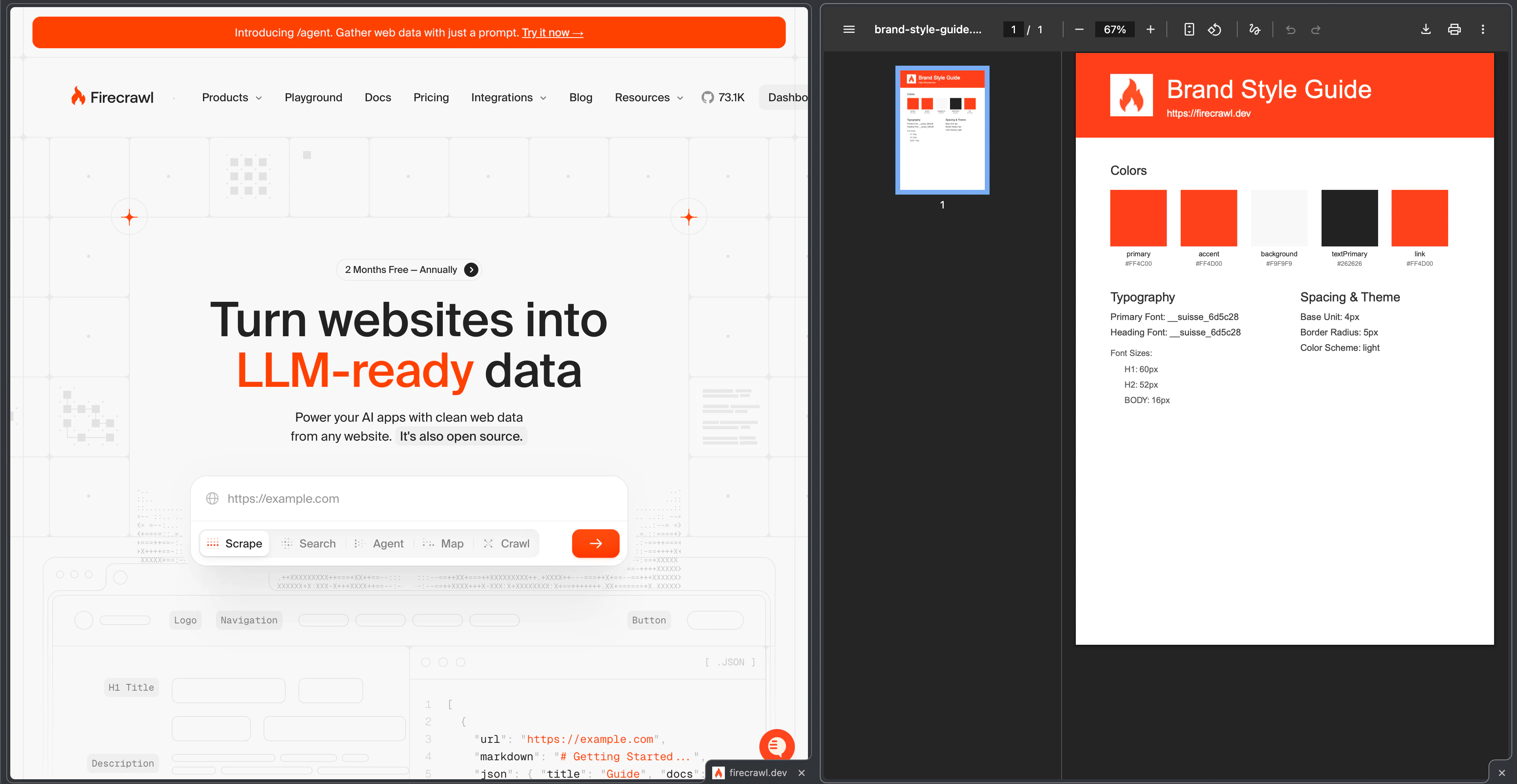
Side-by-side comparison of original website and generated brand style guide PDF

Customization Ideas

Add Component Documentation

Extend the generator to include UI component styles:
// Add after the Spacing & Theme section
if (b.components) {
  doc.addPage();
  doc.fontSize(20).fillColor("#333").text("UI Components", 50, 50);

  // Document button styles
  if (b.components.buttonPrimary) {
    const btn = b.components.buttonPrimary;
    doc.fontSize(14).text("Primary Button", 50, 90);
    doc.rect(50, 110, 120, 40).fill(btn.background);
    doc.fontSize(12).fillColor(btn.textColor).text("Button", 50, 120, { width: 120, align: "center" });
  }
}

Export Multiple Formats

Add JSON export alongside the PDF:
// Add before doc.end()
fs.writeFileSync("brand-data.json", JSON.stringify(b, null, 2));

Batch Processing

Generate guides for multiple websites:
const websites = [
  "https://stripe.com",
  "https://linear.app",
  "https://vercel.com"
];

for (const site of websites) {
  const { branding } = await fc.scrape(site, { formats: ["branding"] }) as any;
  // Generate PDF for each site...
}

Custom PDF Themes

Create different PDF styles based on the extracted theme:
const isDarkMode = b.colorScheme === "dark";
const headerBg = isDarkMode ? b.colors?.background : b.colors?.primary;
const textColor = isDarkMode ? "#fff" : "#333";

Best Practices

  1. Handle Missing Data: Not all websites expose complete branding information. Always provide fallback values for missing properties.
  2. Respect Rate Limits: When batch processing multiple sites, add delays between requests to respect Firecrawl’s rate limits.
  3. Cache Results: Store extracted branding data to avoid repeated API calls for the same site.
  4. Image Format Handling: Some logos may be in formats PDFKit doesn’t support (like SVG). Consider adding format conversion or graceful fallbacks.
  5. Error Handling: Wrap the generation process in try-catch blocks and provide meaningful error messages.

Branding Format Documentation

Learn more about the branding format and all available properties you can extract.

Firecrawl Scrape API

Complete API reference for the scrape endpoint with all format options.

PDFKit Documentation

Learn more about PDFKit for advanced PDF customization options.

Batch Scrape Guide

Process multiple URLs efficiently with batch scraping.